
City Wallet / Mobile App
The City Wallet App is a fast, secure, and convenient way to send money worldwide. Simply top up your balance using the City Wallet Card at supported ATMs, and transfer money anytime, anywhere — all from your phone. With instant transactions, easy receiver management, and real-time exchange rates, City Wallet makes international remittance effortless.
Step-by-step guide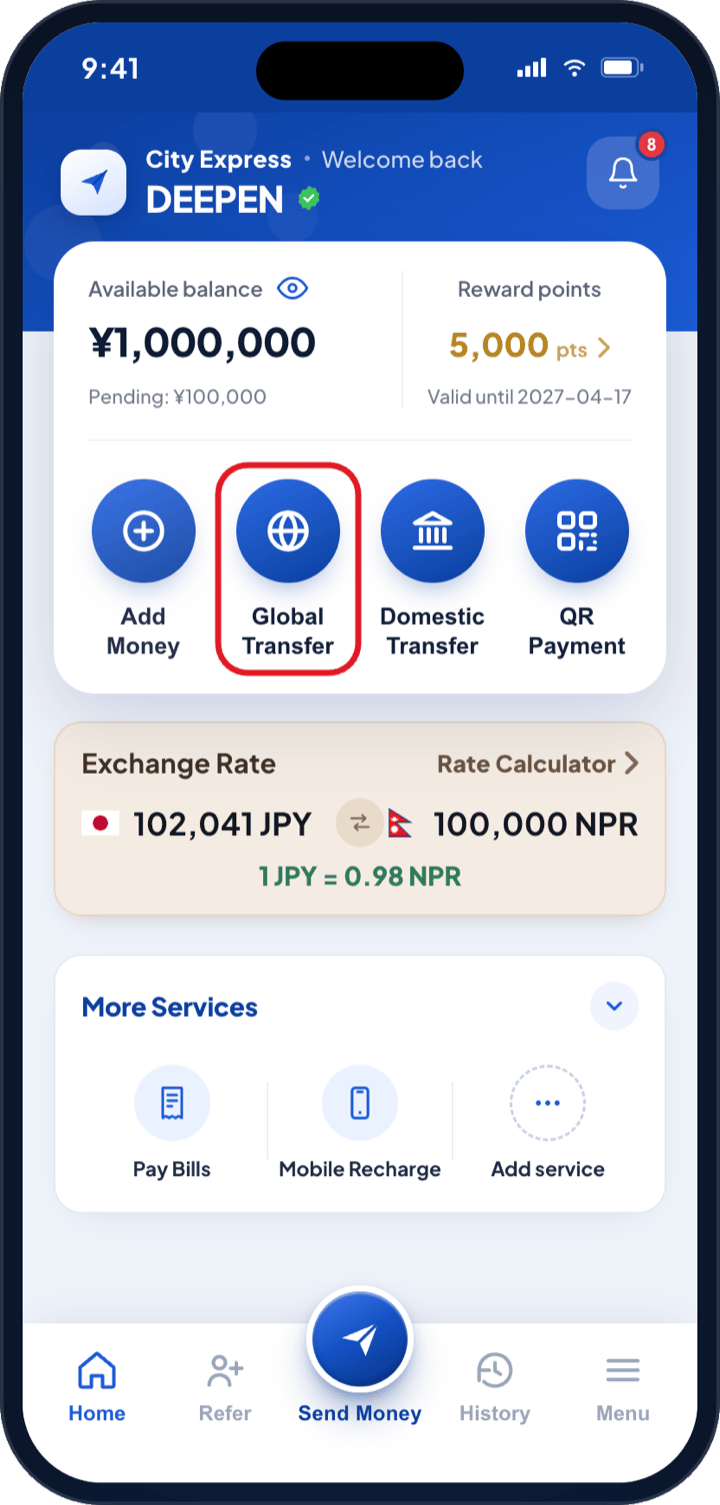
Sending money abroad from the app
Six steps from your City Wallet balance to money in your receiver’s hands.
Step 1
1
Choose the destination country
- i.Tap Global Transfer on the home screen.
- ii.On “Where are you sending?”, pick the country from the flag list.
Step 2
2
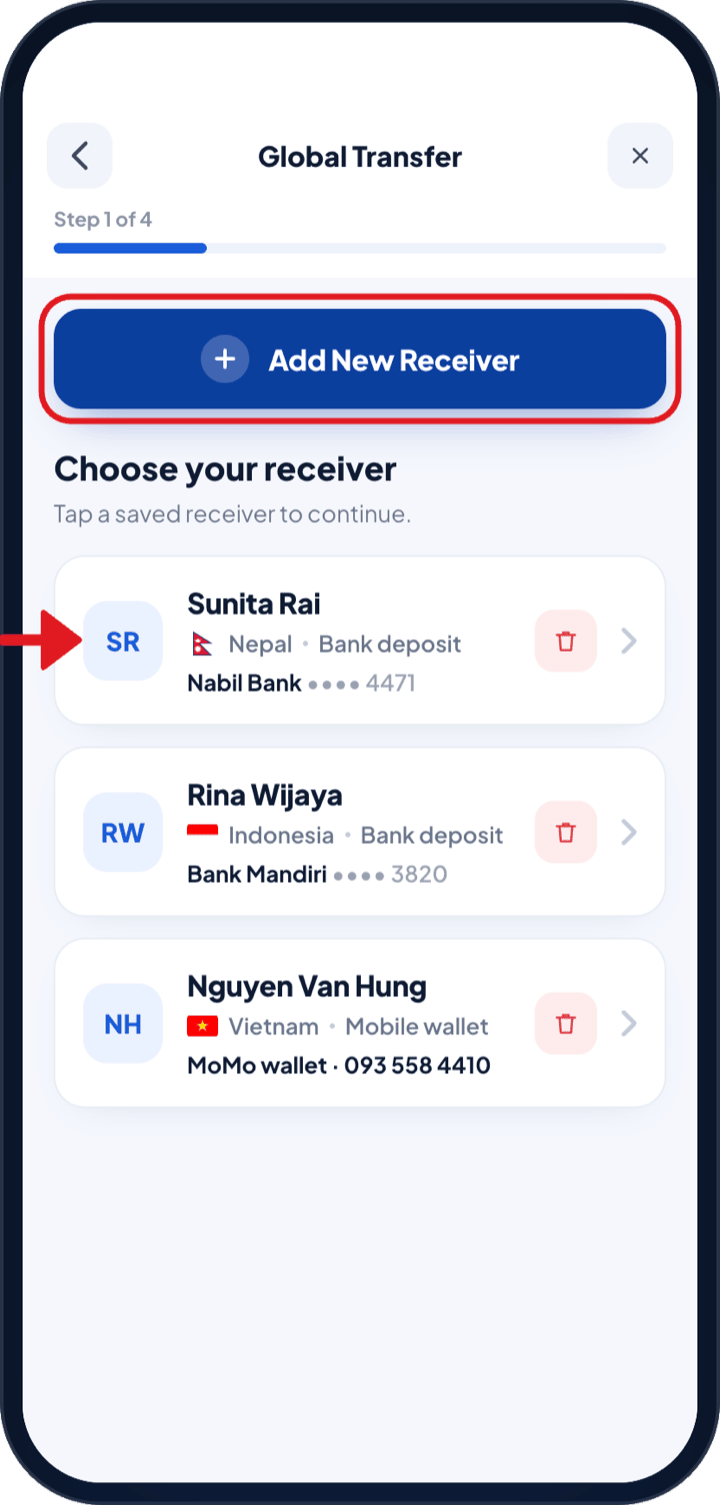
Choose your receiver
- i.Tap a saved receiver — the list shows each one’s name, country, payout method and masked account.
- ii.For someone new, tap Add New Receiver — choose bank account, cash pickup or wallet, and scan their bank QR to auto-fill the details.
Step 3
3
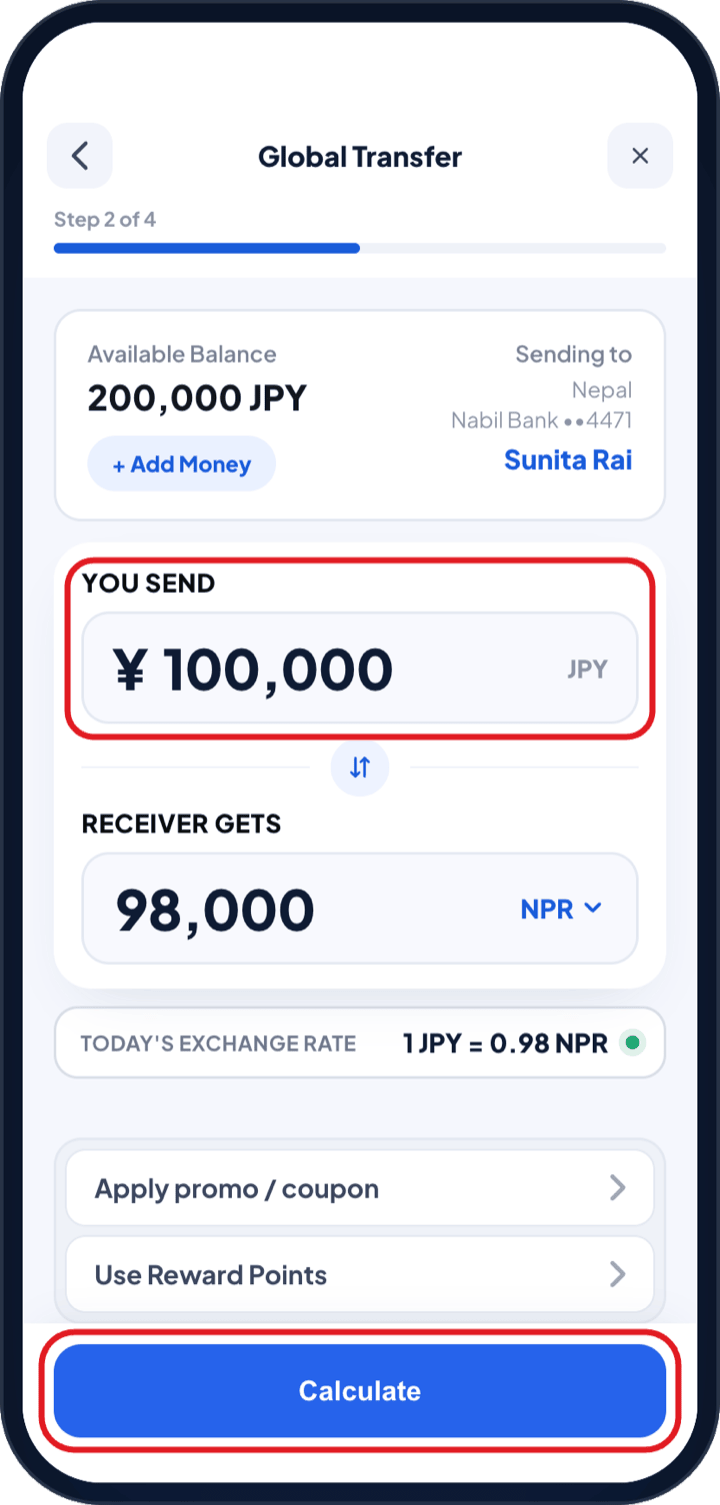
Enter the amount
- i.Check your Available Balance and type the amount to send. If it is short, tap + Add Money.
- ii.The receiver gets, total amount sent and today’s exchange rate update as you type. Apply reward points or a coupon here.
Step 4
4
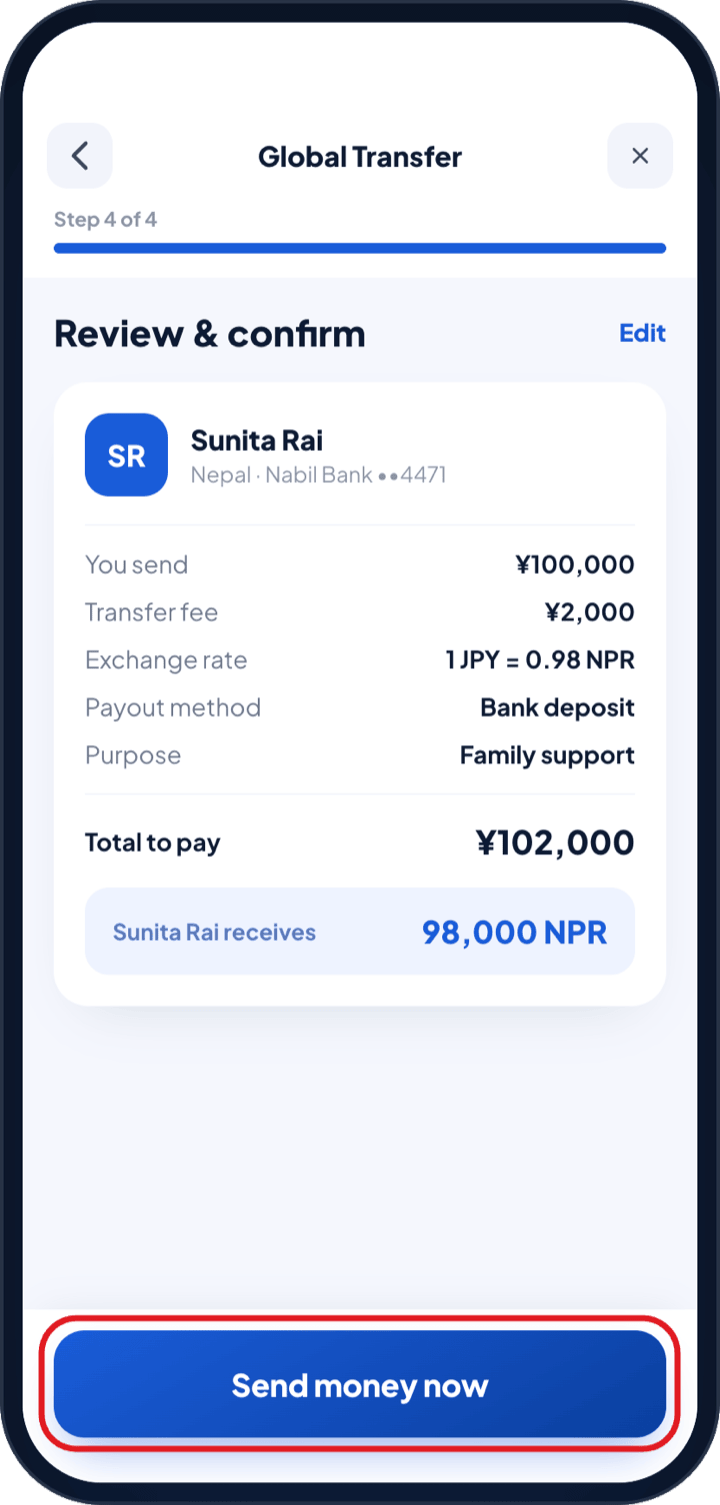
Review & confirm
- i.On Review & confirm, check the amount, points, fee, coupon, exchange rate, payout method, purpose, total to pay and what your receiver gets.
- ii.A first transfer to a new receiver stays on Hold while we verify their details — usually a few hours, trackable in History.
Step 5
5
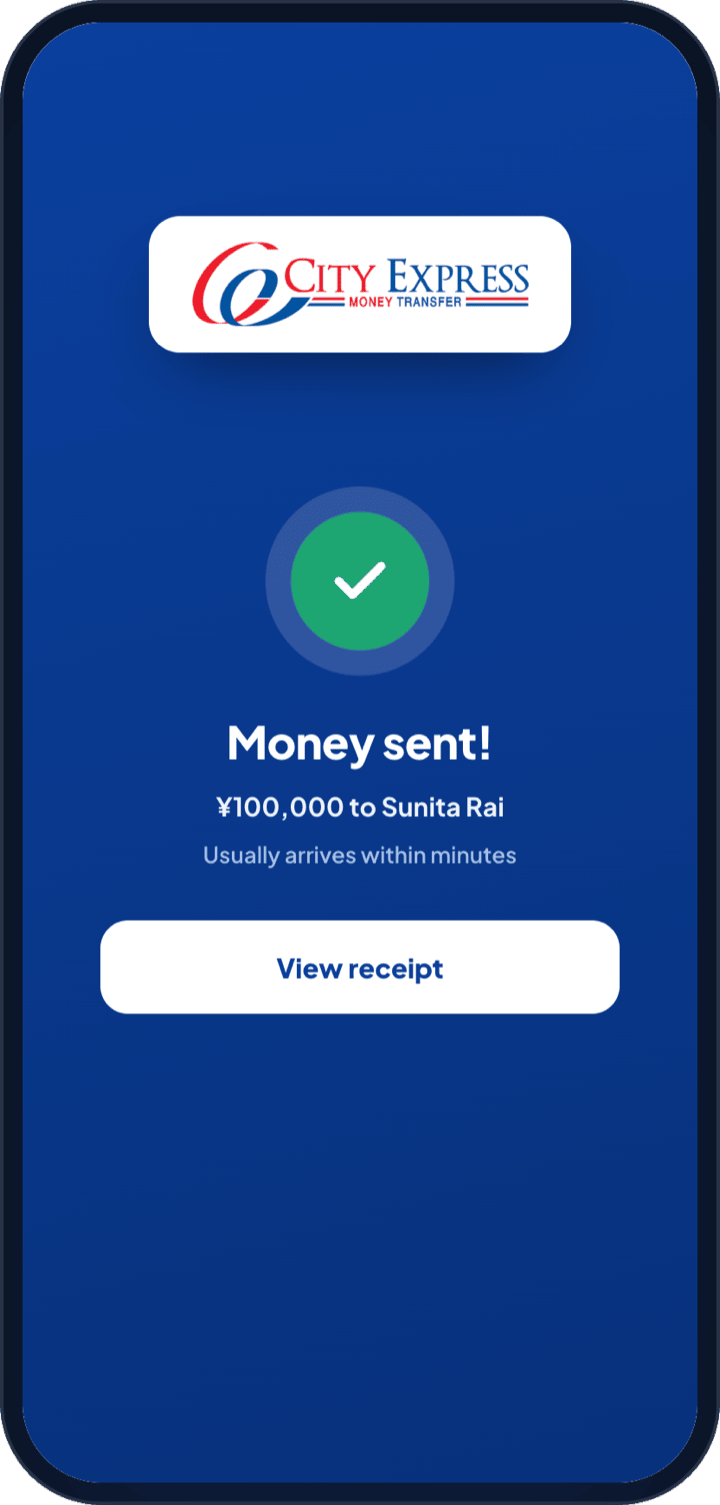
Transfer on its way
- i.Transfer on its way shows the amount, receiver, destination and a status timeline.
- ii.If you used a fee-back coupon, the points are credited once the transfer completes.
Step 6
6
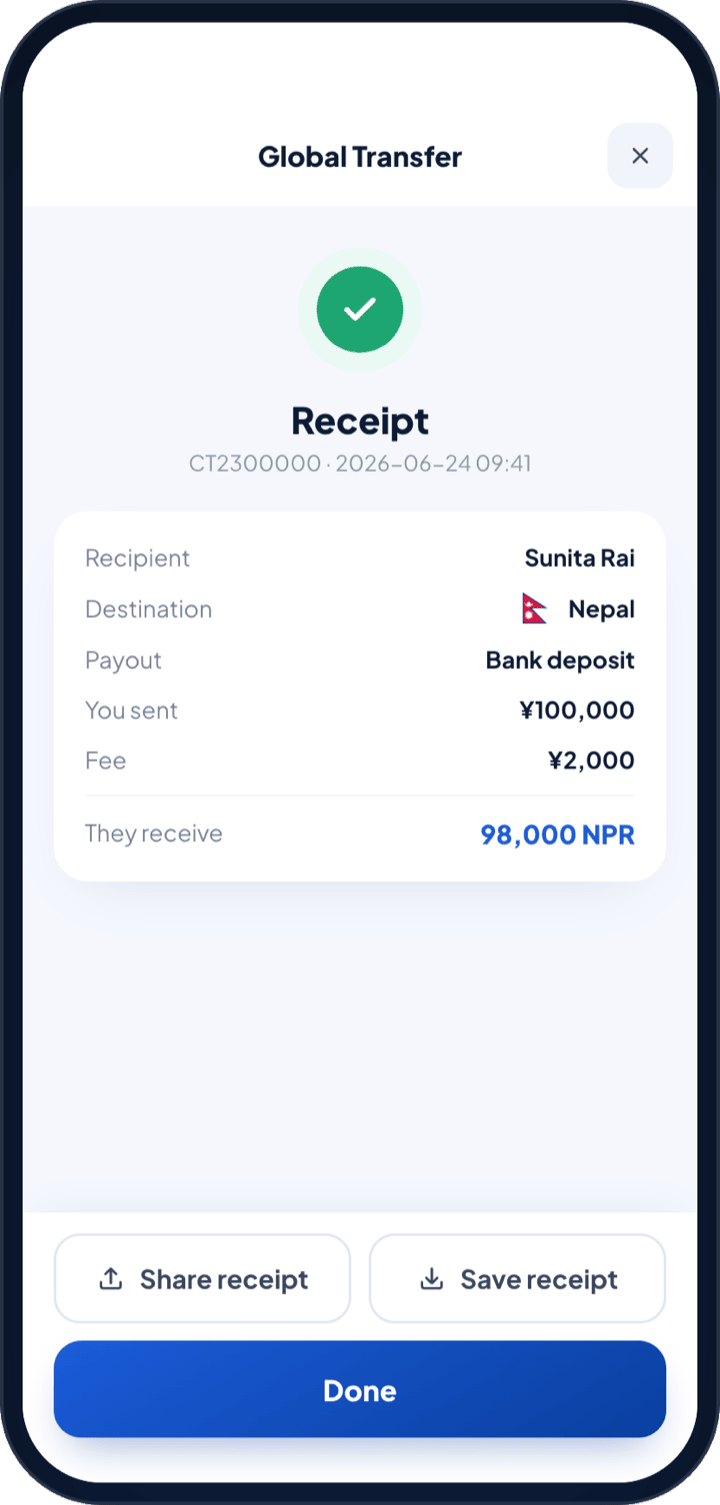
Save or share the receipt
- i.The receipt carries the transaction number, date, recipient, destination, payout method, amount sent, fee and amount received.
- ii.Use Share receipt to send it on, or Save receipt to keep it. Every past transfer stays under History.